One place your clients can serve themselves

One login covers the whole relationship with each client: projects, files, signatures, invoices, subscriptions and support tickets, from the apps you already use. The portal carries your brand, and each client sees only their own records.

Or click around a demo portal, no sign-up needed.

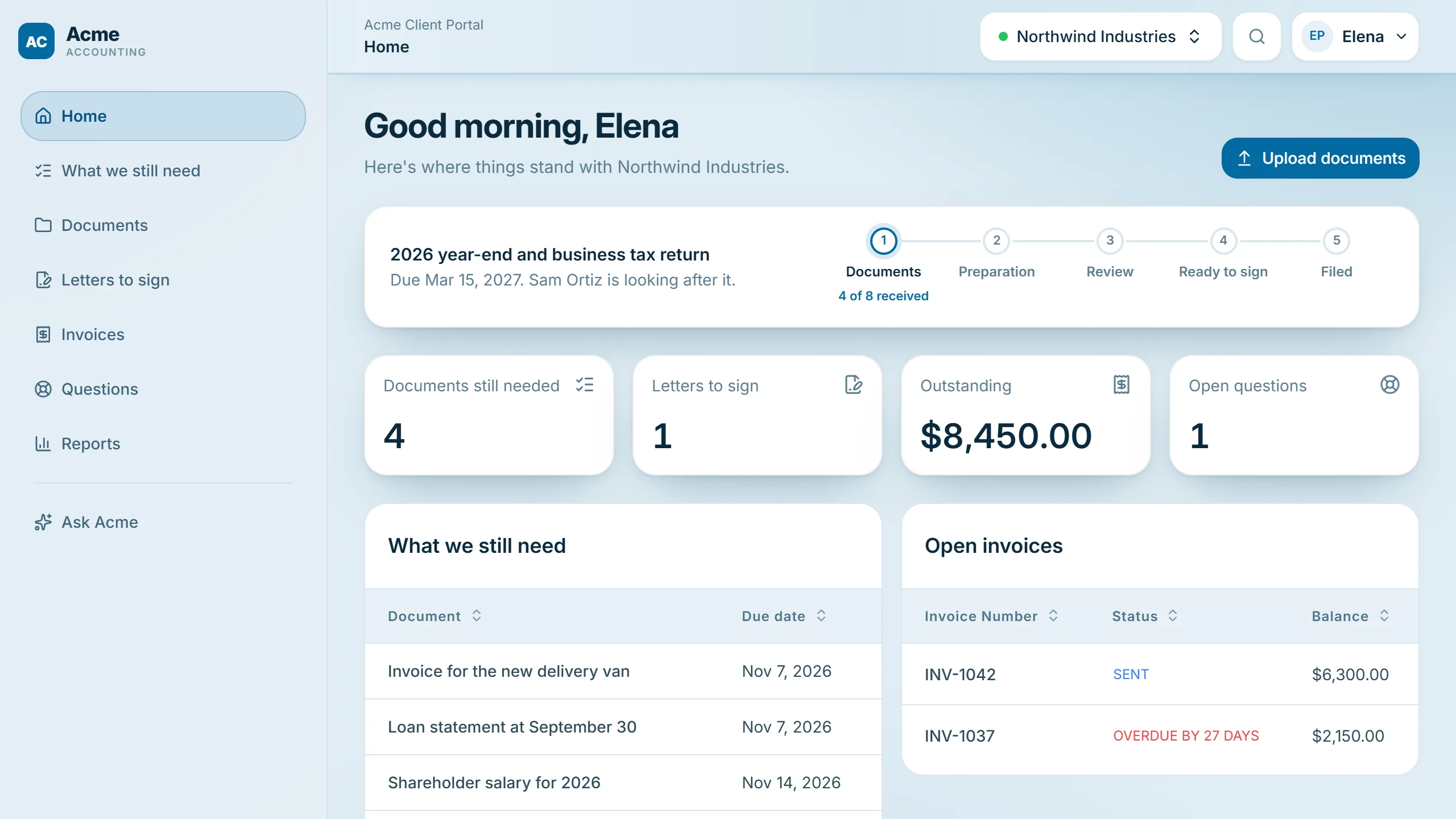
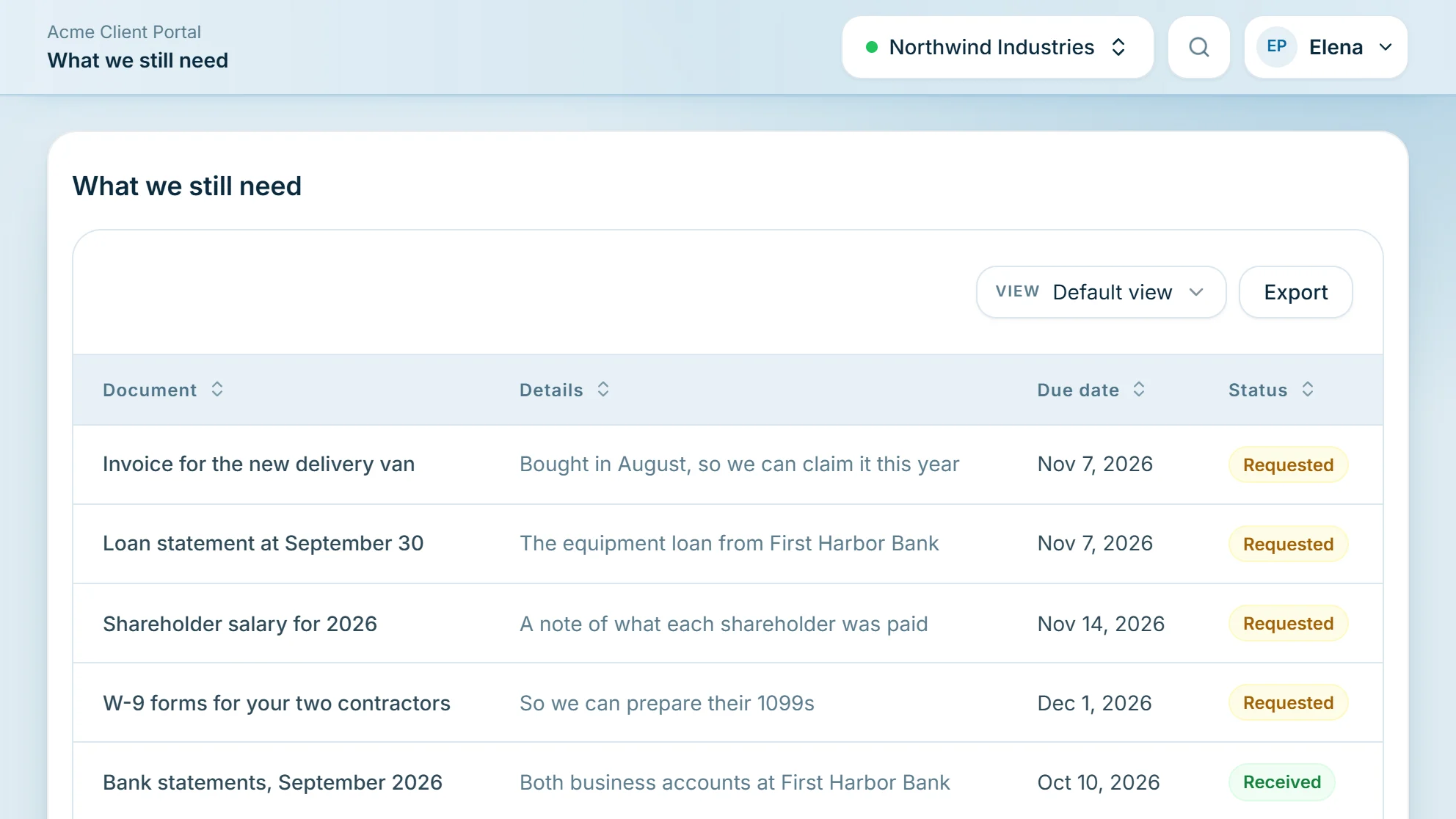
An accounting firm's client portal: a welcome, the client's tax return stage, what's still needed, letters to sign, the balance and open invoices

What portal users can see and do

A few of the pages you could give your clients, built from the apps you connect. You decide which pages each type of client gets and what's on them.

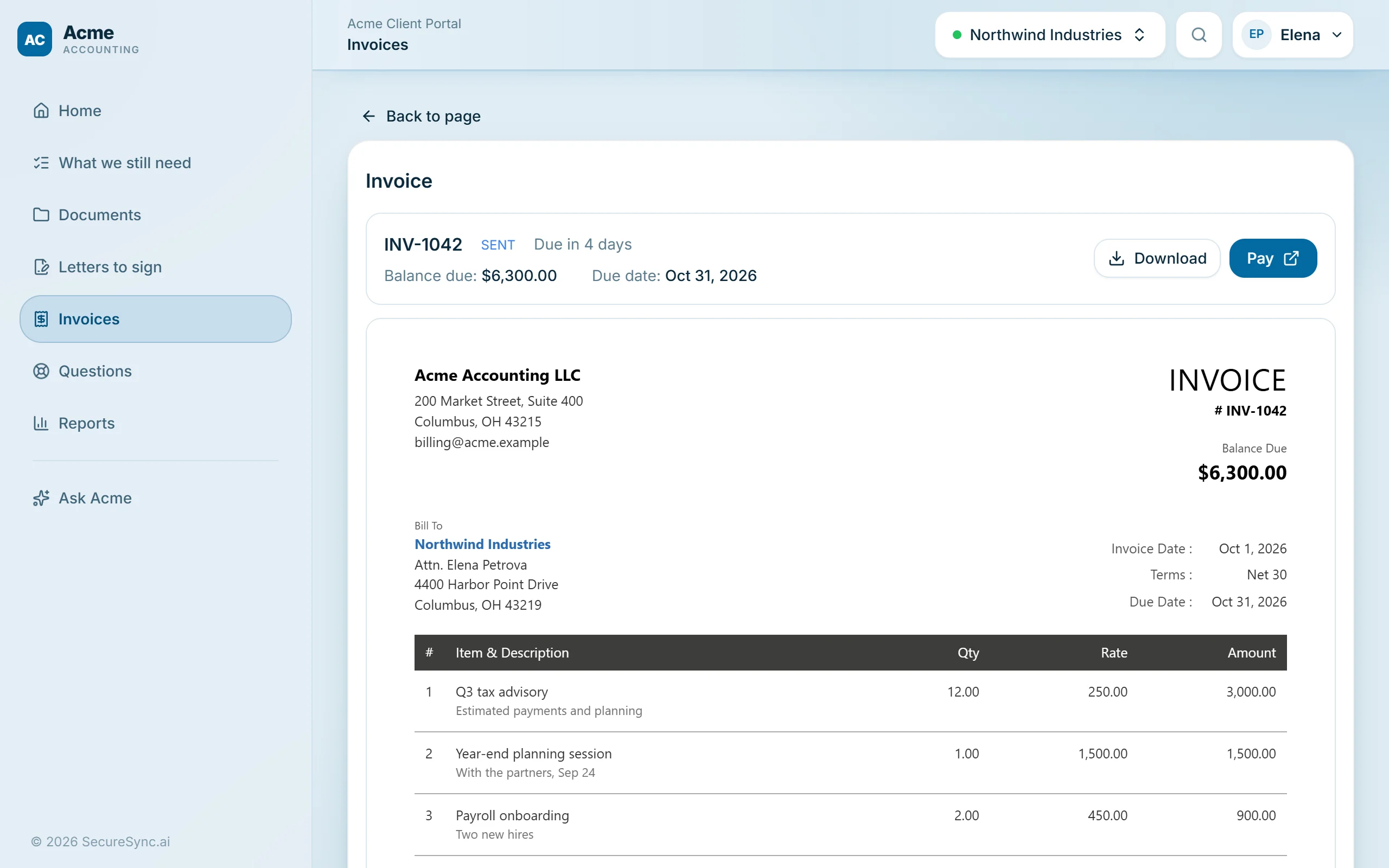
An invoice in an accounting firm's portal: the balance due, the due date, Download and Pay buttons, and the invoice itself

From Zoho Books: clients open an invoice, download the PDF and pay it on Zoho's secure payment page.

Your portal, set up in five steps

Our team works through each one with you.

Connect your apps

Connect your Zoho account and choose which apps and which information your clients should see. Everything stays in sync both ways, in real time.

  • CRM, Books, Billing, Desk, Projects, Sign and WorkDrive
  • Choose the modules and fields each app brings in
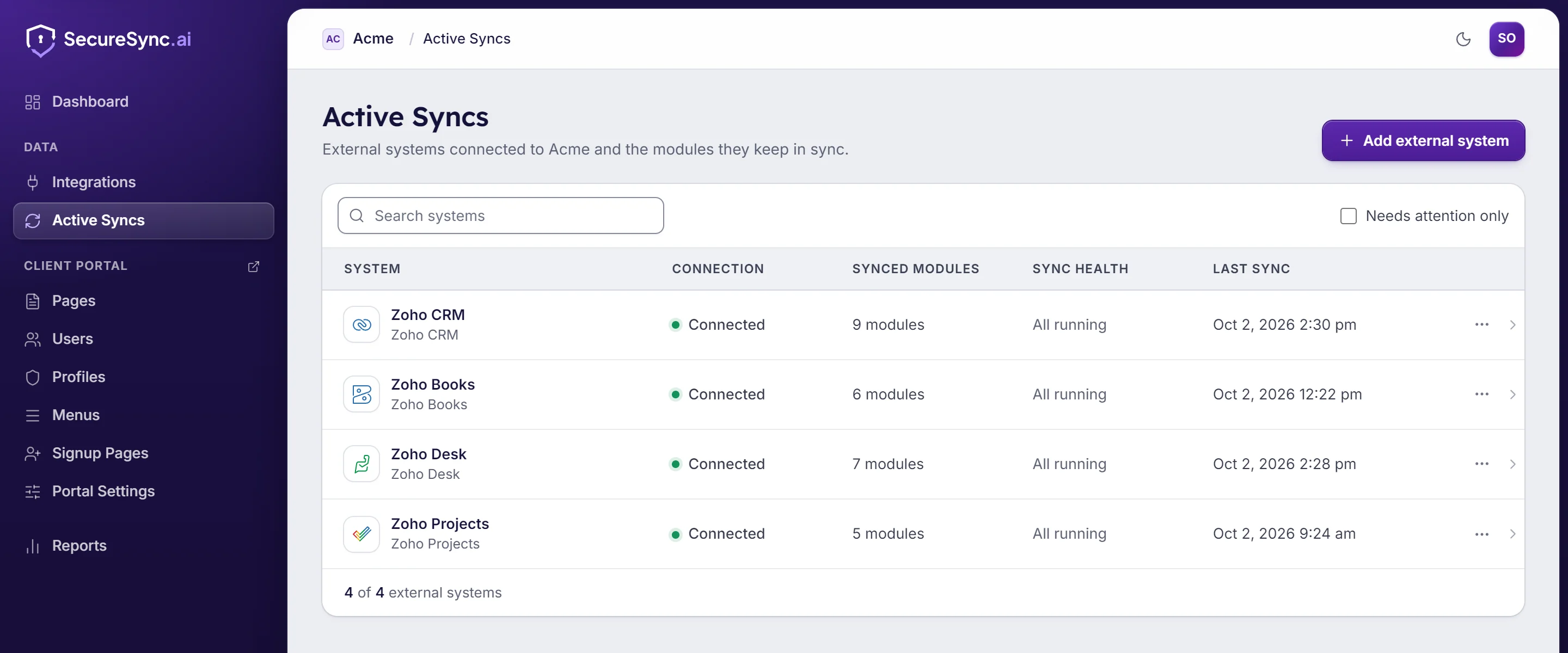
Active Syncs: Zoho CRM, Books, Desk and Projects connected, with the modules each keeps in sync, all running

Choose what each type of client can see

Group your clients into profiles, such as clients and billing contacts. For each profile, switch pages on or off, choose which ones appear in the menu and which page they land on.

  • Two clients can open the same page and each sees only their own records
  • Keep internal fields and sections hidden
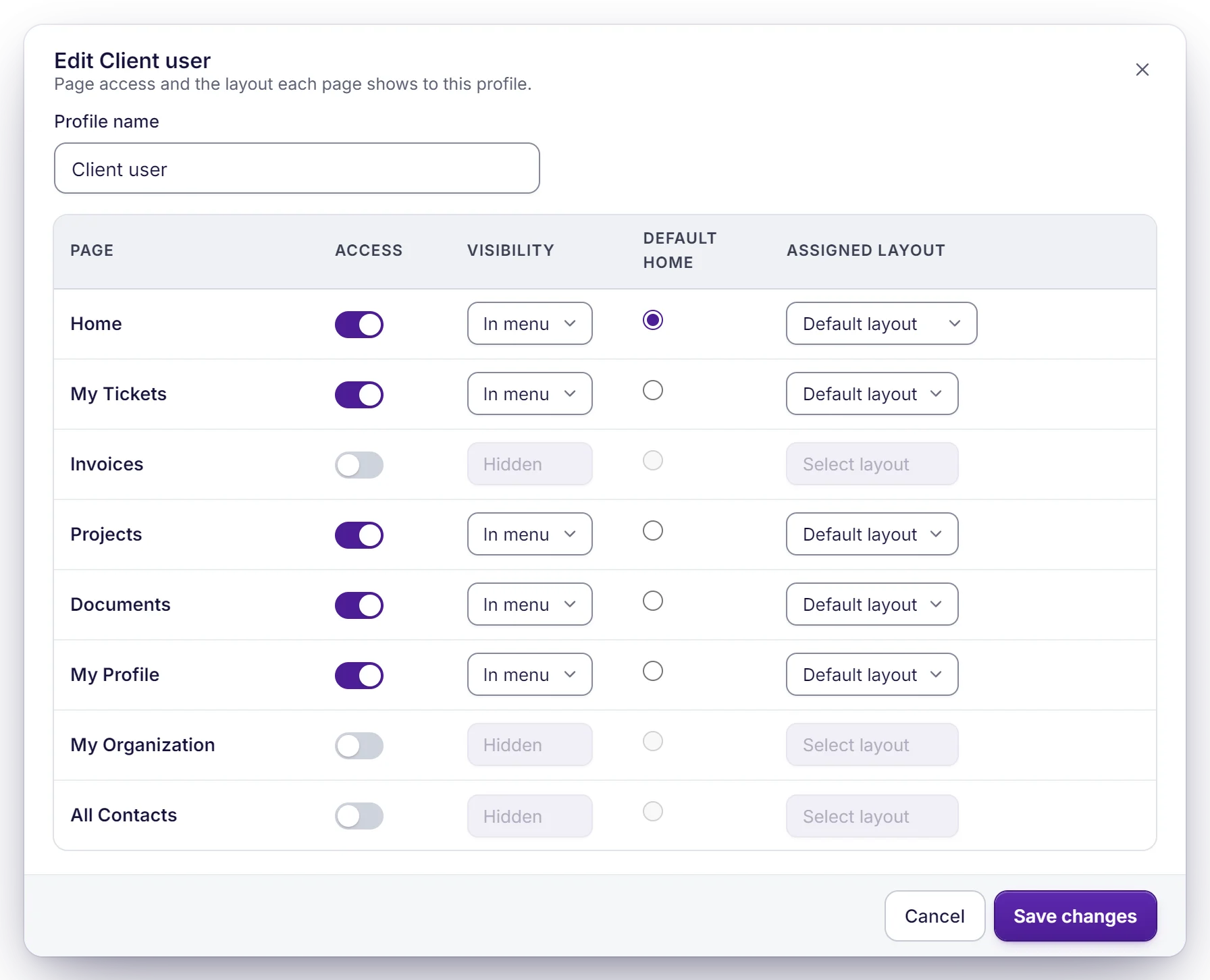
Editing the Client user profile: for each portal page, whether it's on, shown in the menu, the default home page and the layout it uses

Build it by describing it

Your team tells the AI page builder what a page should show. It builds the page from your live data, you preview it as any client, undo anything you don't like and publish.

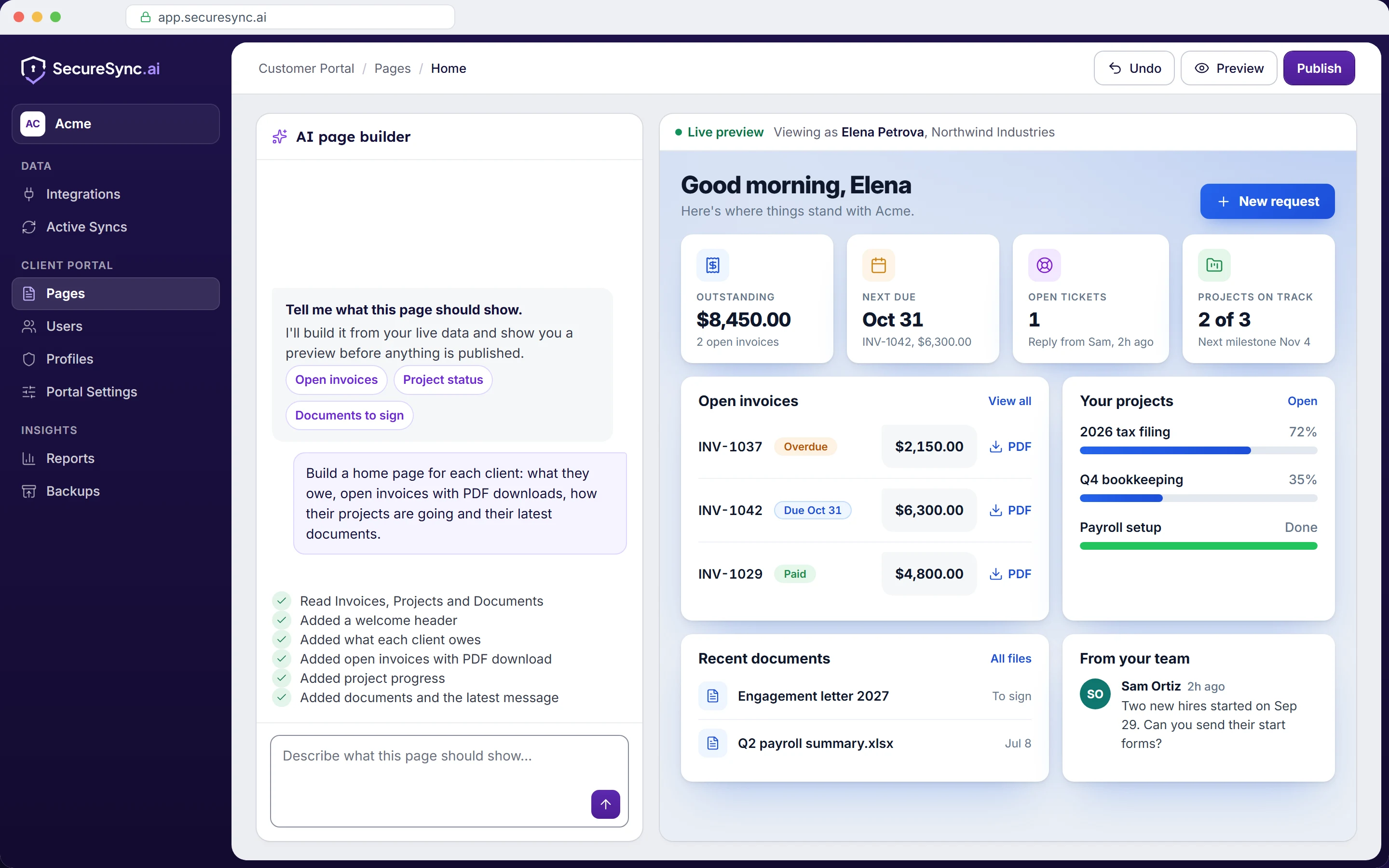
The AI page builder: a request for a client home page, the list of what it added, and a live preview of the page as one client sees it

The AI page builder is included on every plan.

Put your brand on every page

Upload your logo, set your colours and choose a light or dark theme. Put the portal on your own domain, such as portal.yourcompany.com, so clients sign in to your site rather than ours.

  • Your logo, icon and favicon
  • Your own domain and email templates, on every plan
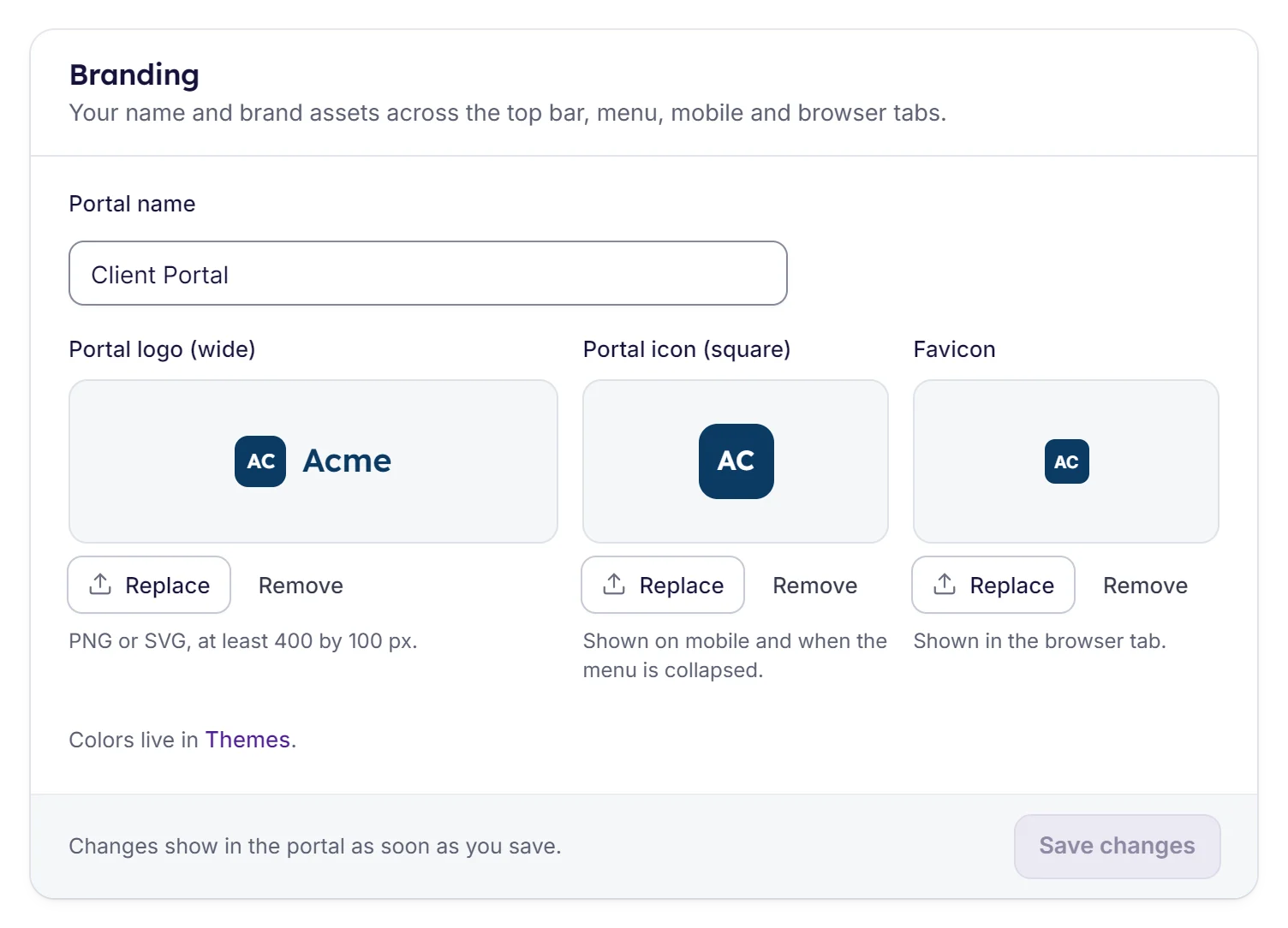
The Branding settings: the portal's name, its wide logo, square icon and favicon

See who did what

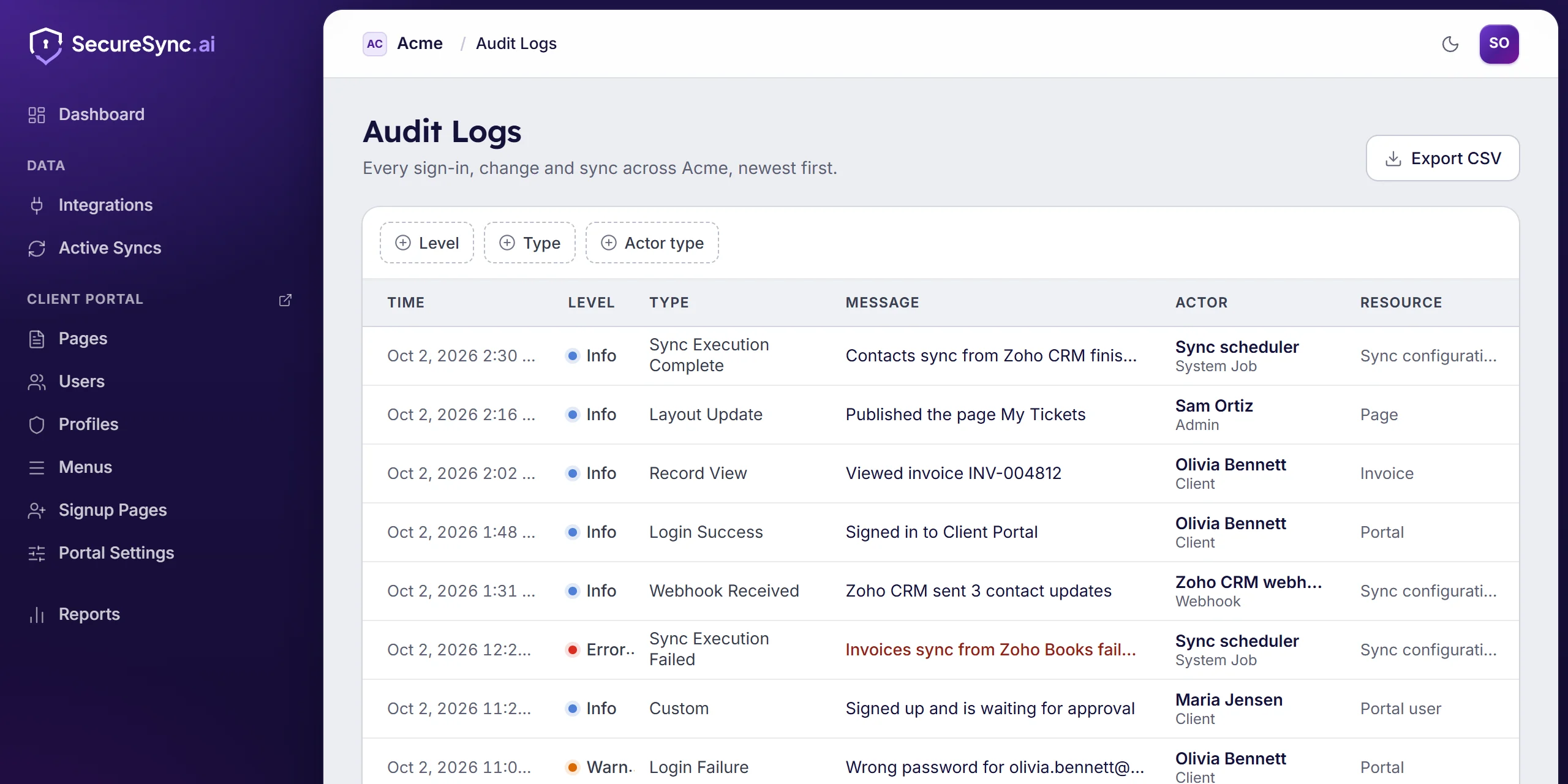
Every change, sign-in, export and restore is written to the audit log, including support sessions, which are recorded as on behalf of the client.

  • Filter by level, type or who did it
  • Export the log as CSV
The audit log: sign-ins, record views, page changes, syncs and a support session, each with its time, level, actor and resource

Your clients can ask the portal

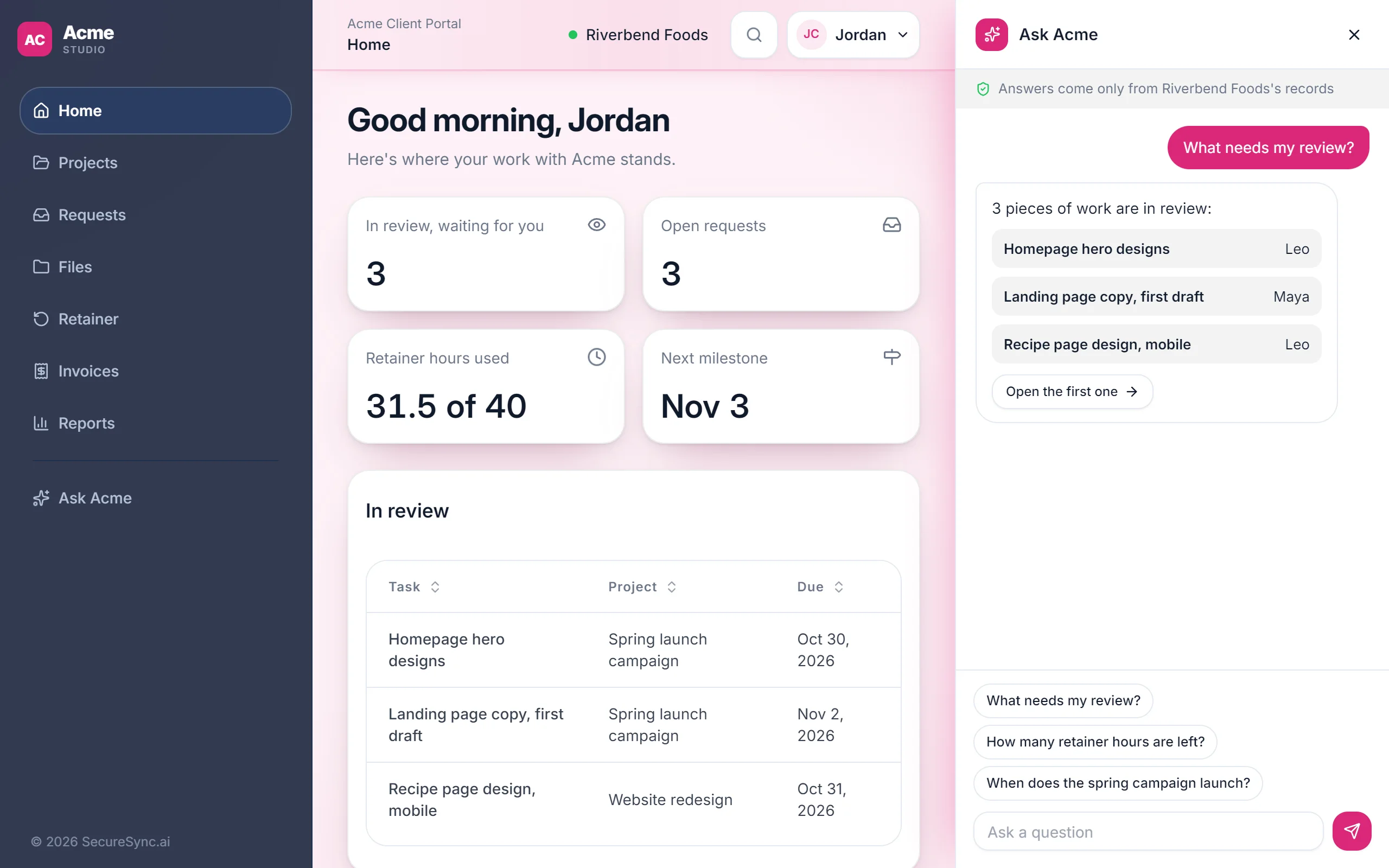
A chat inside the portal, shown under your brand. Clients ask in plain language and get answers from their own records, with a link to every invoice, task or ticket it mentions. It only sees what that client is allowed to see.

  • “What do I owe and when is it due?”
  • “Which tasks are waiting on me?”
  • “What's the latest on my ticket?”
  • “Where's the contract I signed last month?”

Included on Professional and Enterprise, and $100/mo on Standard.

An agency's client portal with Ask Acme open: the client asked what needs their review and got the three tasks waiting for them

Everything a portal needs, without a developer

The AI page builder puts the pages together. These are the pieces it works with.

What clients do

  • Open invoices, pay online and download the PDF
  • Switch plans, update their card or cancel a subscription
  • Raise a ticket and follow the thread without an email chain
  • Follow projects, add tasks and reply when they're mentioned
  • Sign what is waiting for them
  • Preview, upload and download their own files
  • Edit their own details, and add or edit linked records
  • Export to CSV and save the views they use
  • Ask the AI client assistant about their own records
What you control

  • Different pages for each type of client, so each one sees a portal that fits
  • Show or hide fields and sections based on who's looking or what's in the record
  • Which records each user is linked to, and nothing beyond that
  • Your branding and your own domain, on every plan
  • Light and dark themes
  • Sign-up pages with the fields you choose, and an approval step

Security built in

Bringing your data together only works if it's kept safe, and if each client sees only their own.

How we protect your data
  • A database of your ownEach customer's data is kept apart, never in a shared table.
  • Only their own recordsEach client sees their data, down to the field, and nothing else.
  • Two-factor sign-inPortal users and your team can sign in with an authenticator app.
  • A full audit logEvery change, sign-in, export and restore is recorded.

See your own portal in a demo

Start a 7-day free trial, no credit card needed, or book a demo and we will build a page on your own data while you watch.

Have a question first? Send us a message

Contact us