
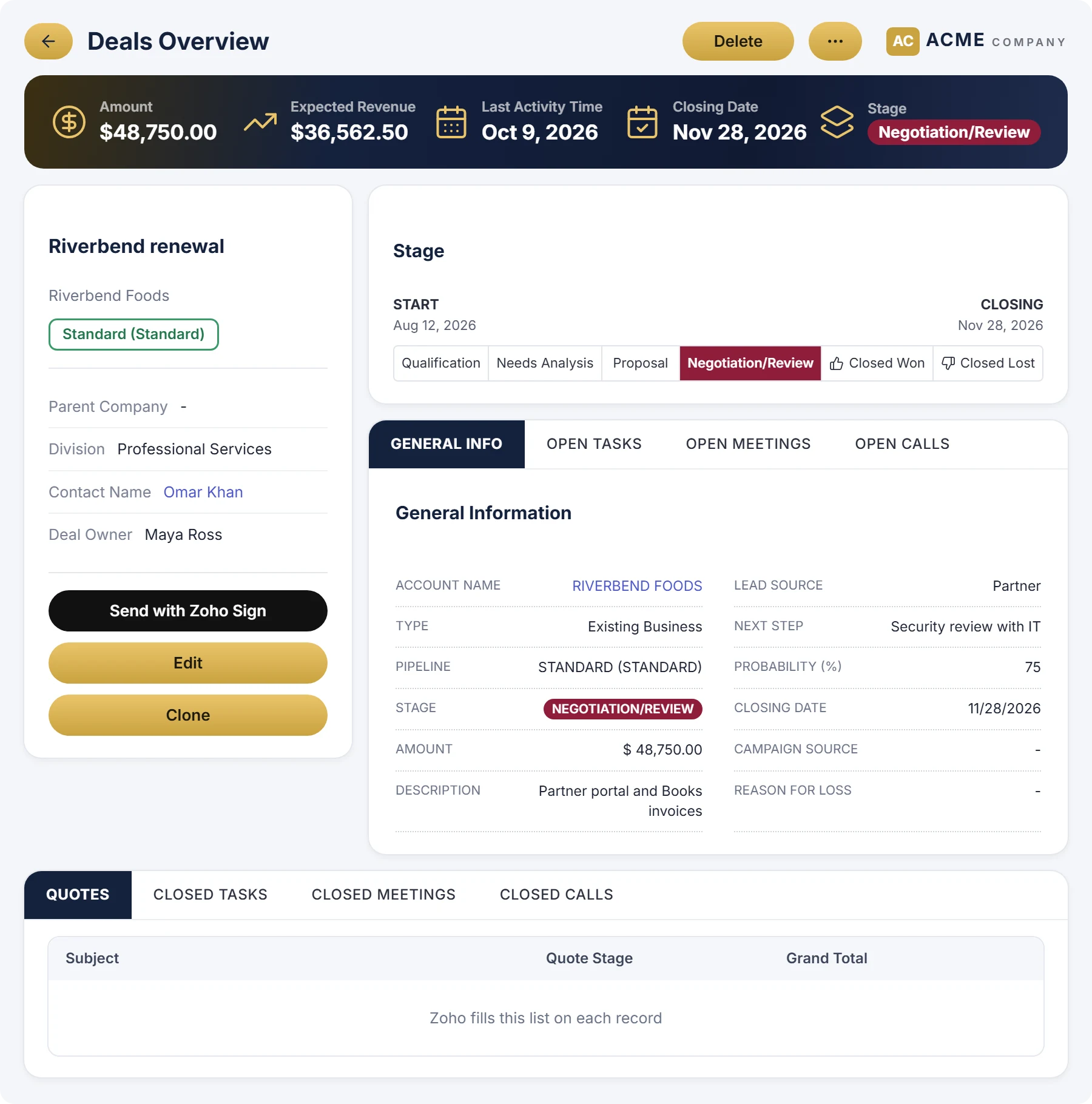
A stat band
The figures that matter on the record, such as amount and closing date, across the top with an icon each.
Canvas Studio designs the deal, account and contact pages your team sees inside Zoho CRM. Start from a page built from your own fields and related lists, change it by hand or by describing what you want, and publish it to the profiles you choose.
Included on every plan for a limited time. Building pages for your client portal instead? That's the AI page builder.
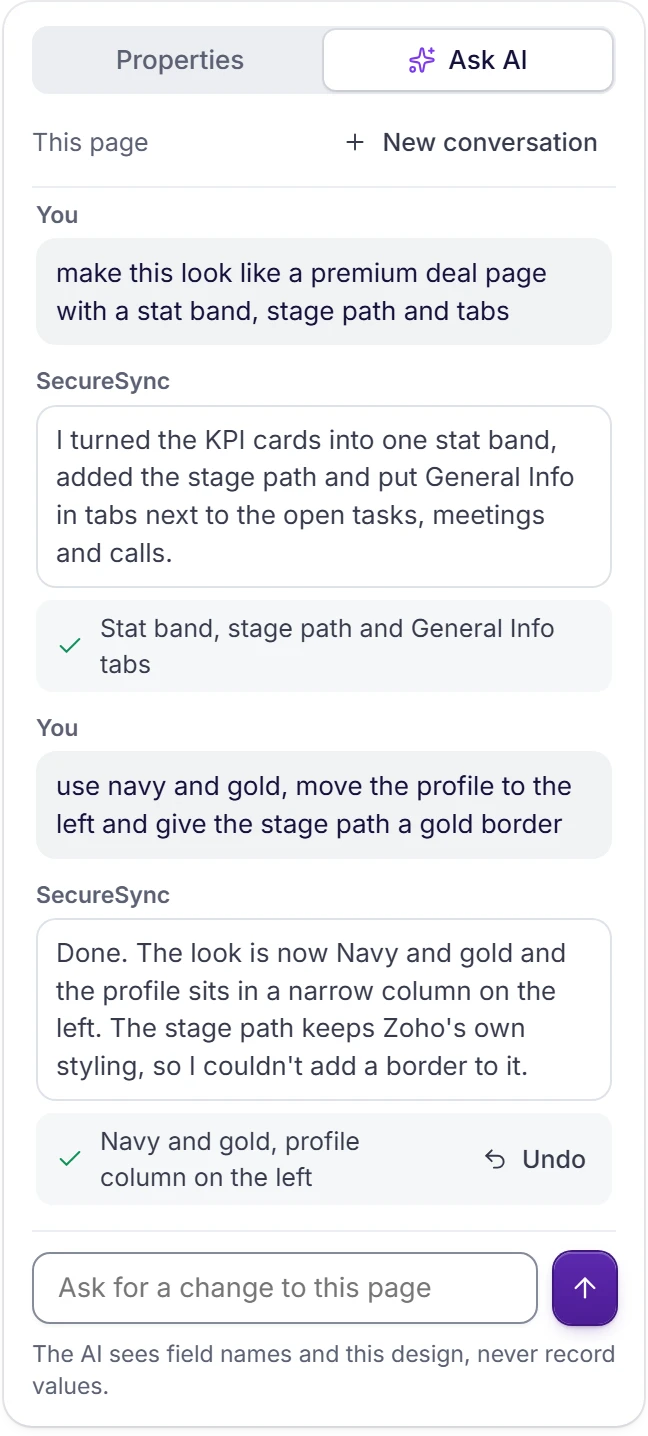
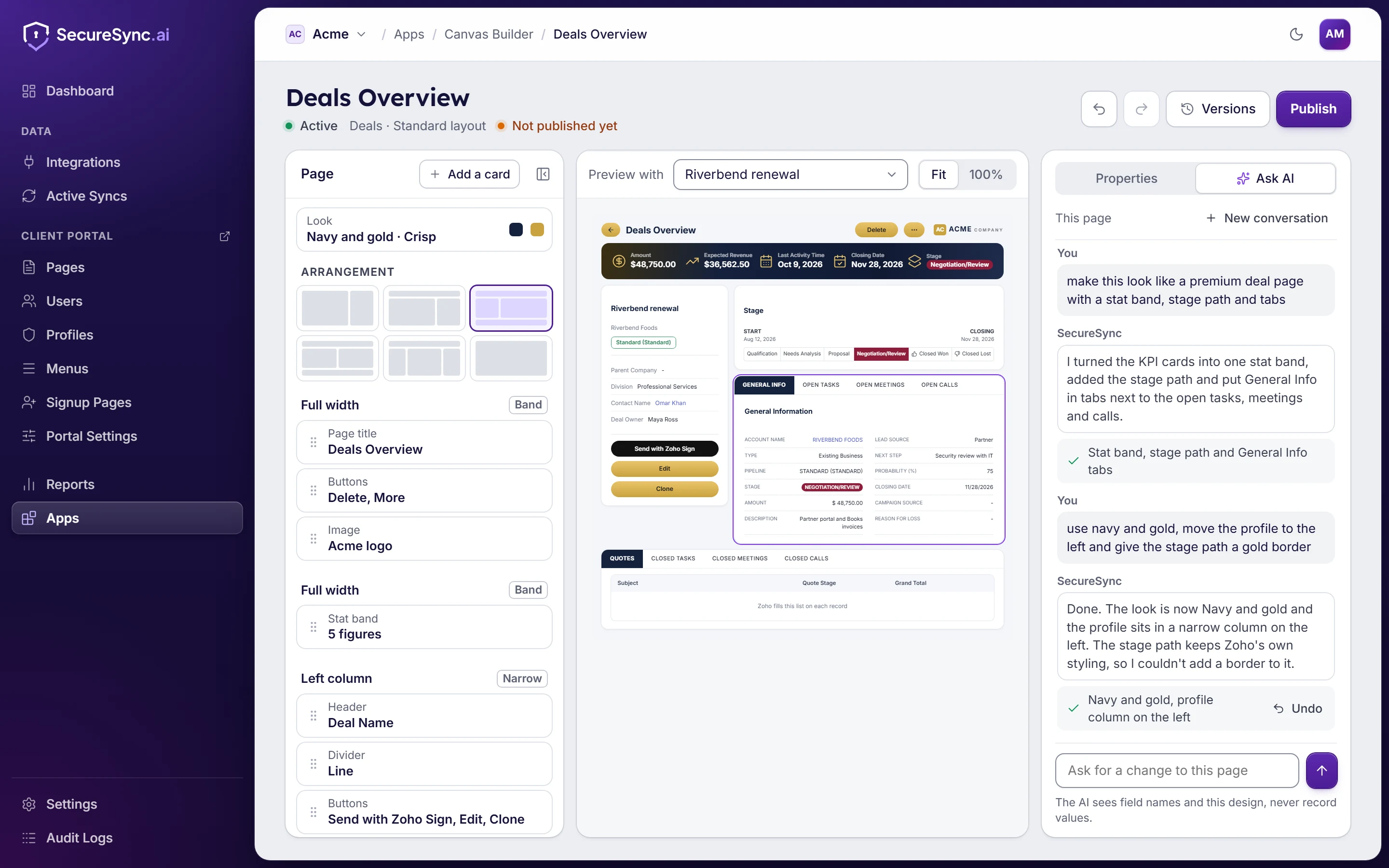
Pick a module and layout and Canvas Studio lays out a page from its sections, fields and related lists. The outline on the left, a live preview on one of your real records in the middle, and every change listed with an undo.
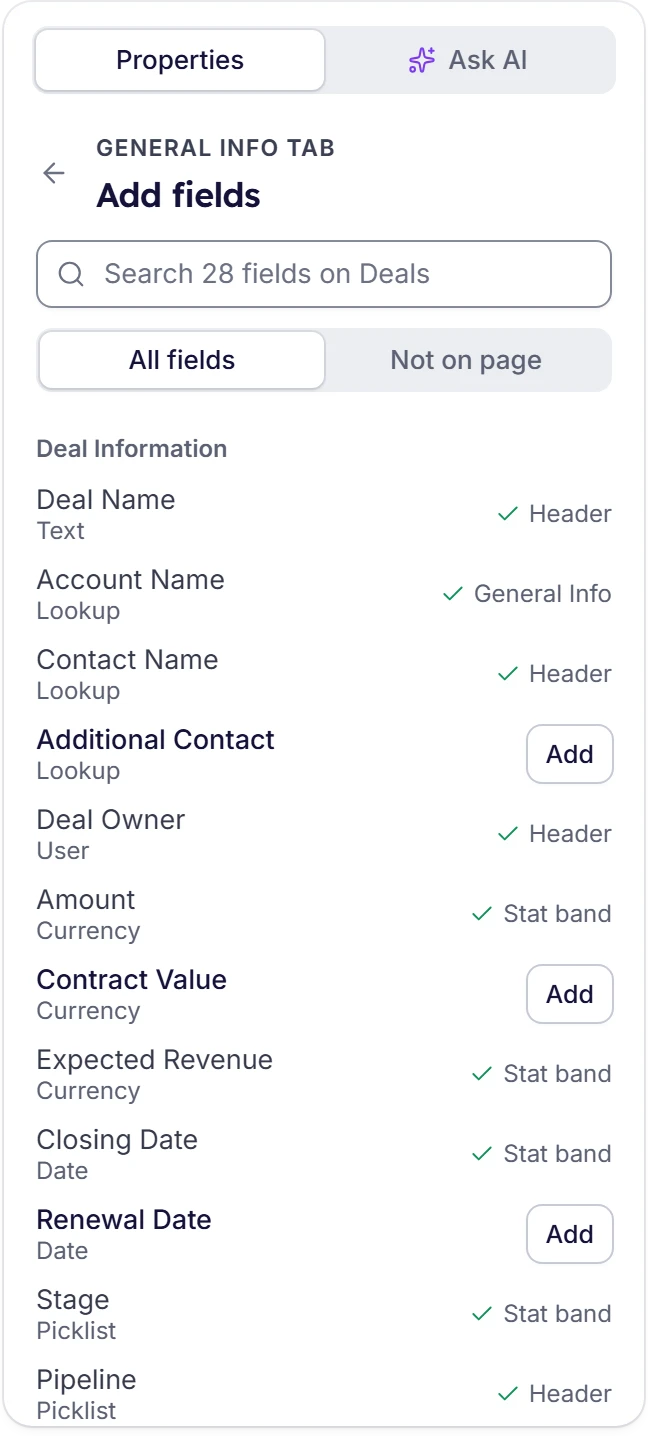
Search every field on the module by name. Each one shows its type and where it already sits on the page, so you can see at a glance what's in the header, the stat band or a tab, and add what's missing.
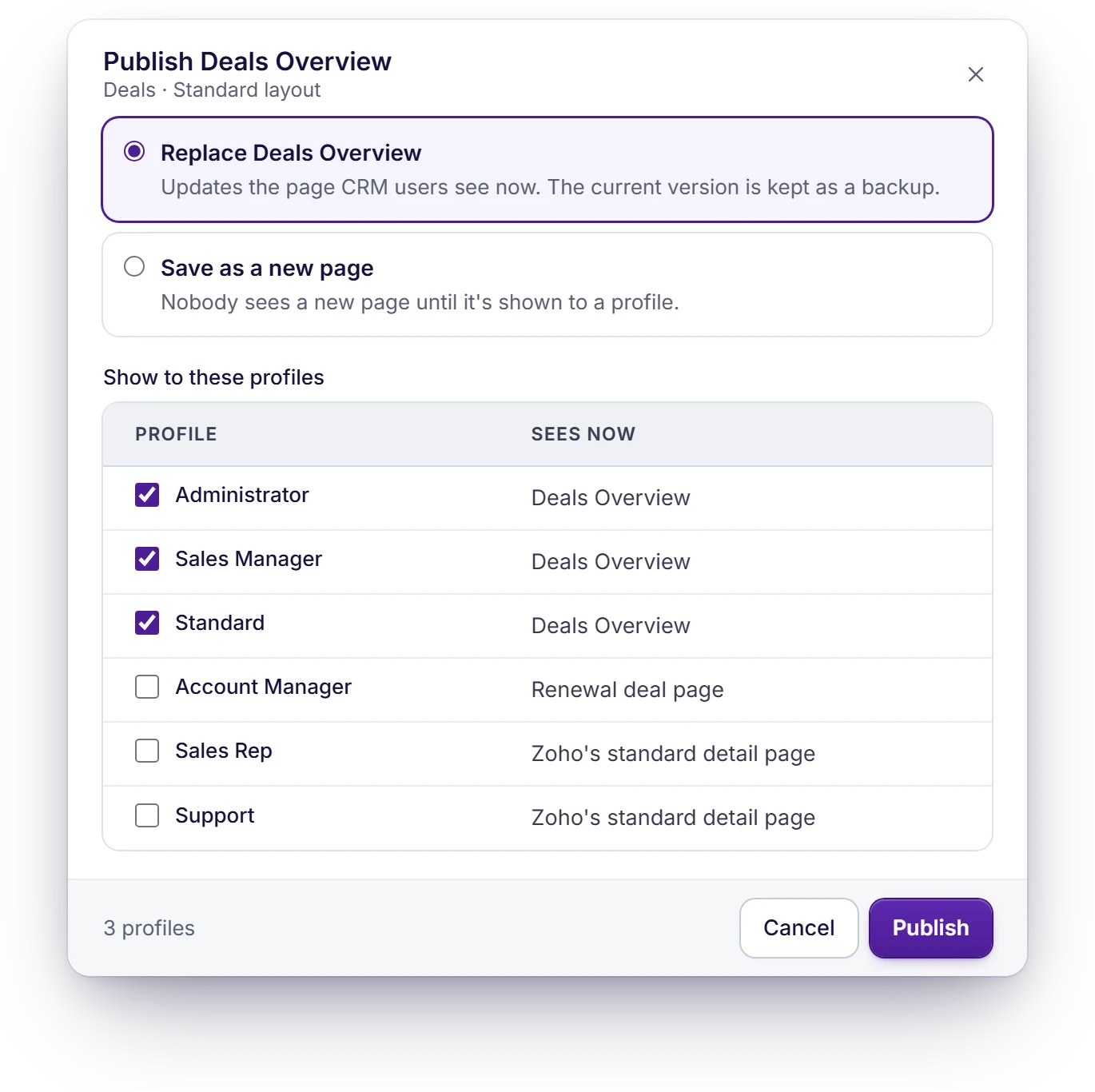
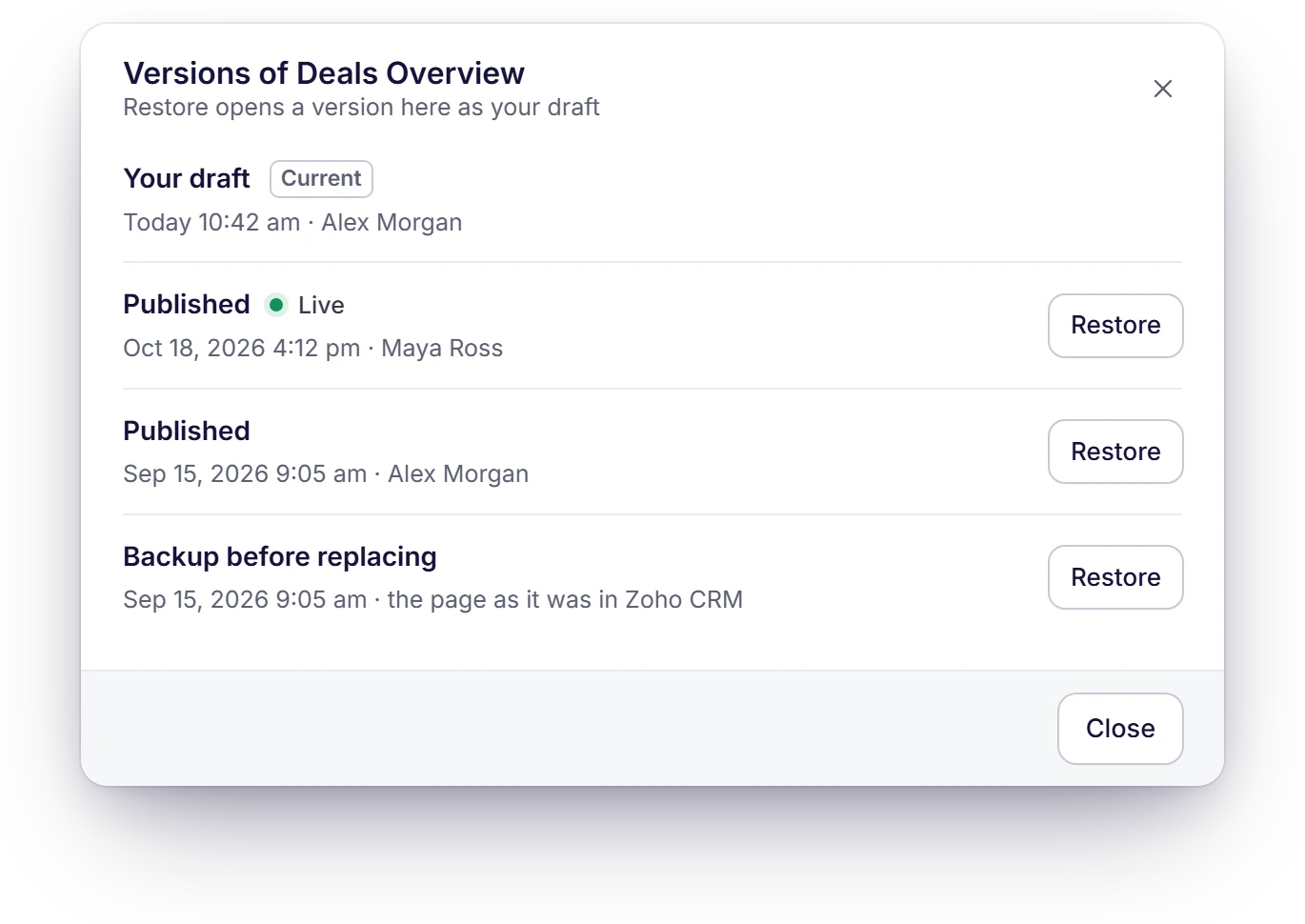
Replace a page and the one it replaces is kept as a backup, or save a new page next to it. The publish step shows the page each profile sees now, so nobody's page changes by surprise. Every version is kept, and every publish and profile change goes in the audit log.
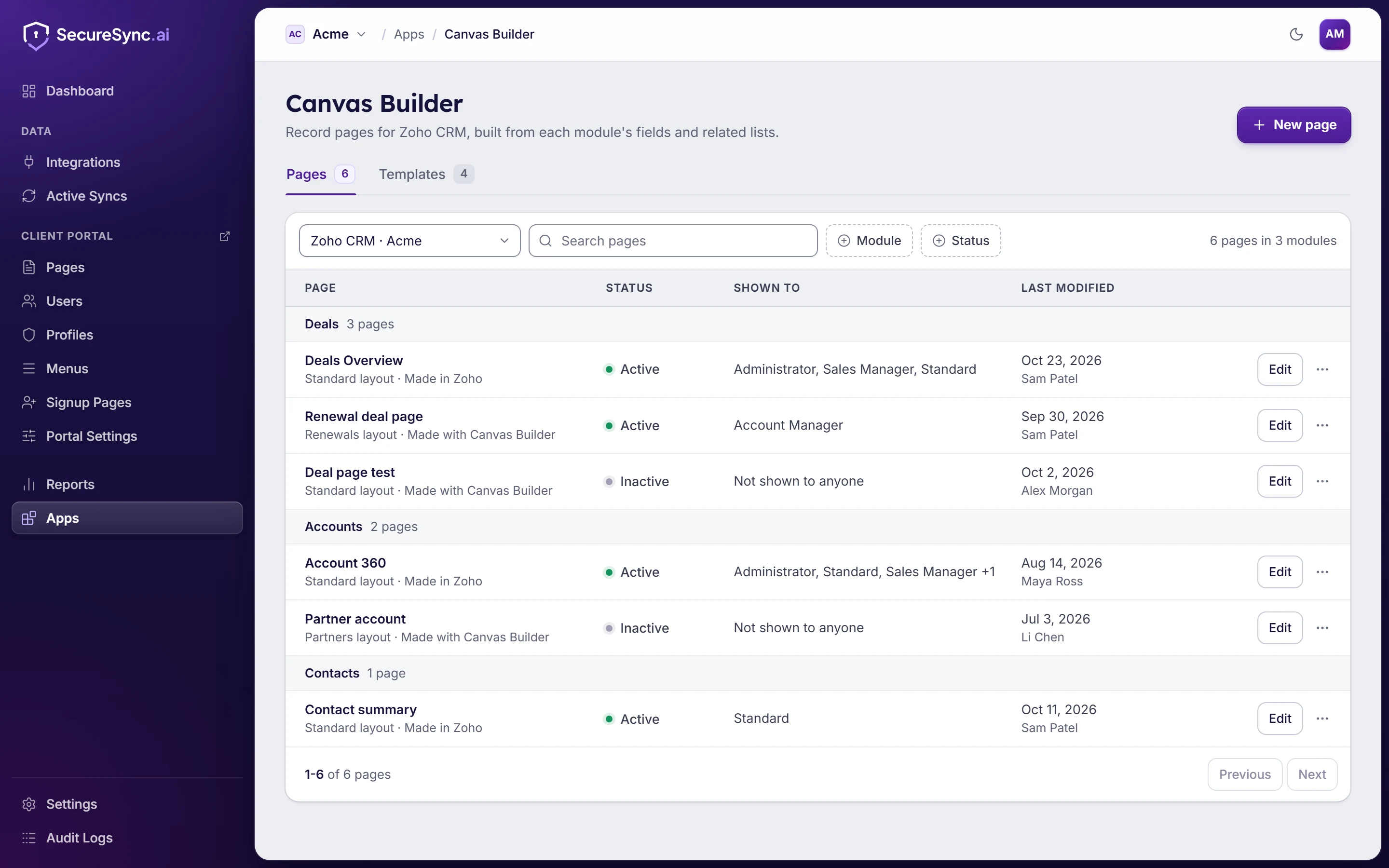
Each module's pages, which profiles see them and who changed them last, including pages made in Zoho's own builder. It works through the Zoho CRM you've already connected, so there's nothing to install in Chrome or in Zoho.
The pieces you'd otherwise place by hand in Zoho's own builder.
The figures that matter on the record, such as amount and closing date, across the top with an icon each.
The record's name, its status pills and buttons: Edit, Clone and your own custom buttons, such as Send with Zoho Sign.
Any field on the module, in groups, one to three across. Add one by typing part of its name.
Fields in one tab and related lists such as open tasks, meetings and notes in the others, so a long page fits one screen.
Notes, attachments, emails, activities and your related records, as tables on the page.
The deal's stages across the page, on Deals and on any module with a pipeline.
When you ask for a change, the AI sees your field names and the page design, never your record values. The record in the preview is read from Zoho to draw it and isn't stored.
Canvas Studio is an add-on, always included on Enterprise and, for a limited time, included on every plan. In the free trial you can build one canvas. All it needs is your Zoho CRM connected to SecureSync.
Bringing your data together only works if it's kept safe, and if each client sees only their own.
How we protect your dataBook a demo and we'll build a record page on your own Zoho CRM while you watch, or start a 7-day free trial with no credit card needed.
Have a question first? Send us a message